Usage Guide
This guide shows how to run Shinka with coding agents using the project skills:
shinka-setup: scaffold task files (evaluate.py,initial.<ext>, optional run config)shinka-convert: snapshot an existing repo into a Shinka task directoryshinka-run: launch and iterate evolution batches viashinka_runshinka-inspect: load top-performing programs into a compact context bundle
It covers:
- installing Shinka
- installing Claude Code and/or Codex CLI
- installing the skills from this GitHub repo with npx skills add
- running a practical setup -> run -> inspect loop
1) Install Shinka
From a clean machine:
Set API keys (example):
cp .env.example .env 2>/dev/null || true
# Edit .env and add OPENAI_API_KEY / ANTHROPIC_API_KEY as needed
2) Install Agent CLI(s)
Install one or both.
Claude Code
Codex CLI
3) Install Skills from the Repo with npx skills add
The Shinka skills live directly in this repo under skills/. You do not need to copy files by hand or publish a separate npm package.
Install all current Shinka skills globally for Claude Code and Codex:
This installs from the GitHub repo source. The explicit --skill '*' makes "install all skills" unambiguous and avoids interactive prompts.
Installed skills currently include:
shinka-setupshinka-convertshinka-runshinka-inspect
Project-local install
Use this if you want the skills installed only for the current repo:
Typical project paths:
- Claude Code:
.claude/skills/ - Codex:
.agents/skills/
Global install paths
For the global install command above, the relevant skill roots are:
- Claude Code:
~/.claude/skills/ - Codex:
~/.codex/skills/
Install one skill only
For a narrower install:
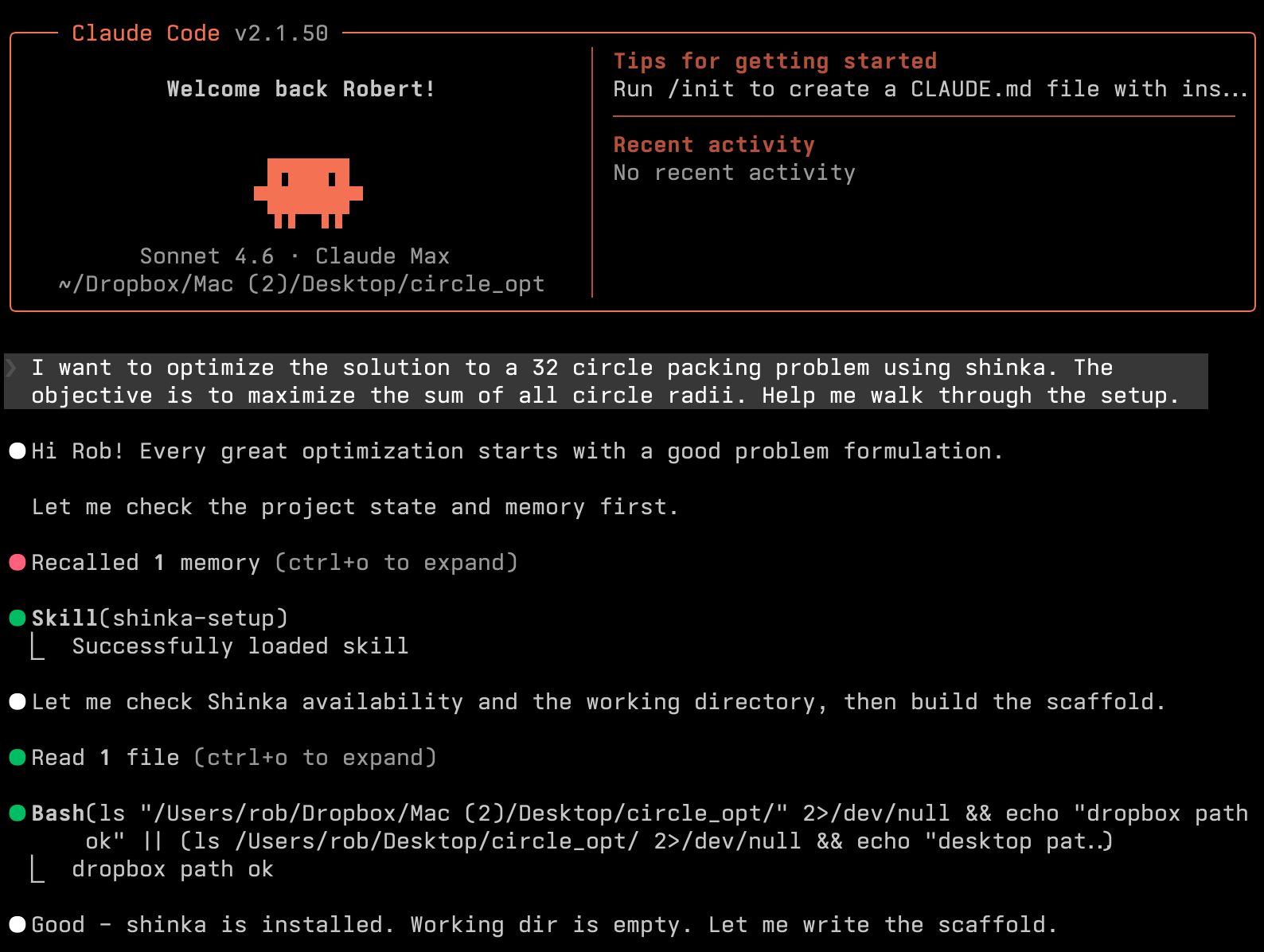
4) Setup Skill Walkthrough (shinka-setup)
Ask the agent to scaffold a new task directory and evaluator contract.
Example prompt:
Use shinka-setup to scaffold a new task in examples/my_task.
Language: python.
Goal: maximize <metric>.
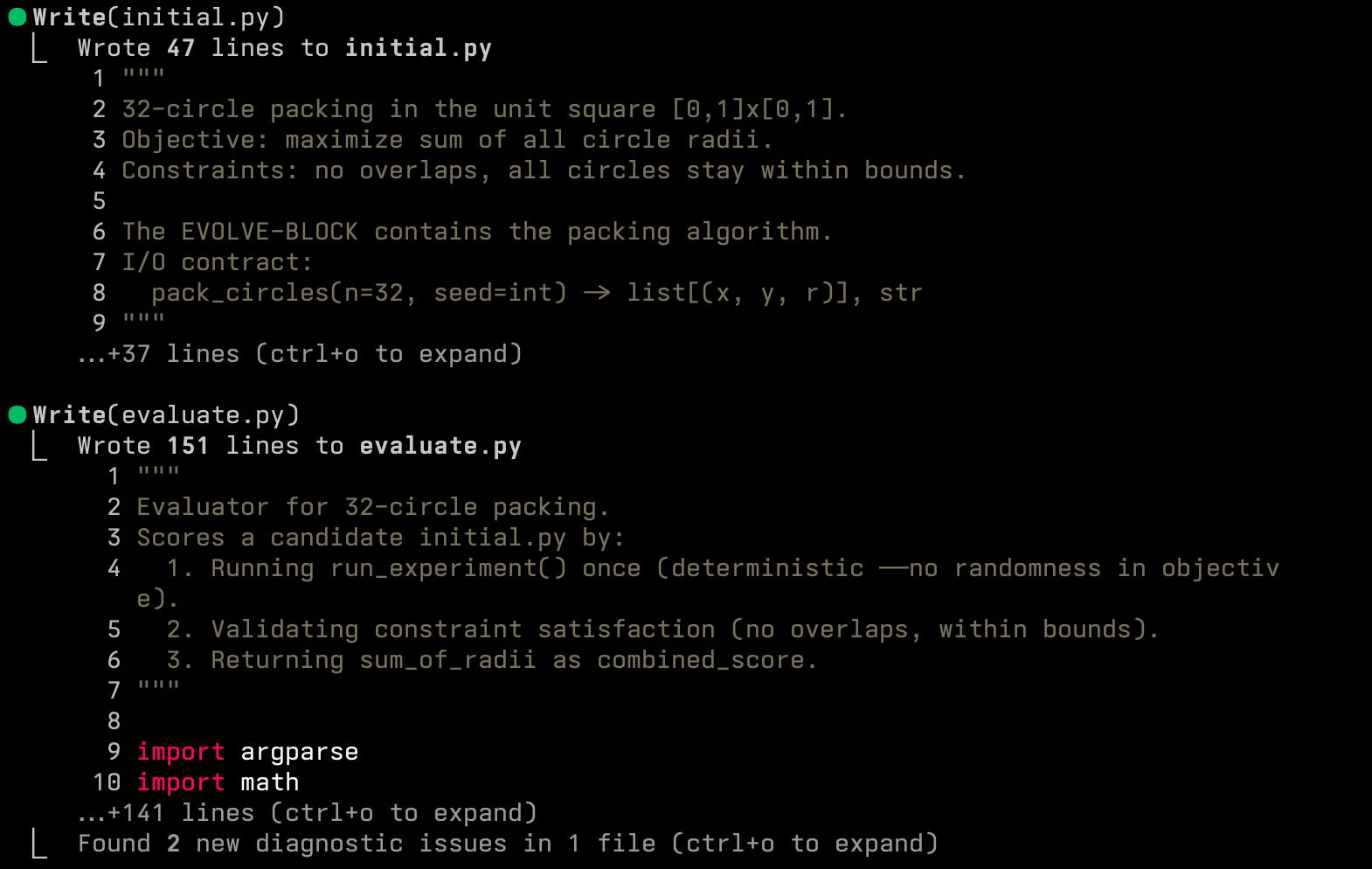
Illustration (setup flow):
Expected output:
- initial.<ext> with evolve block
- evaluate.py producing metrics.json + correct.json
- optional run_evo.py / shinka.yaml scaffolds when requested
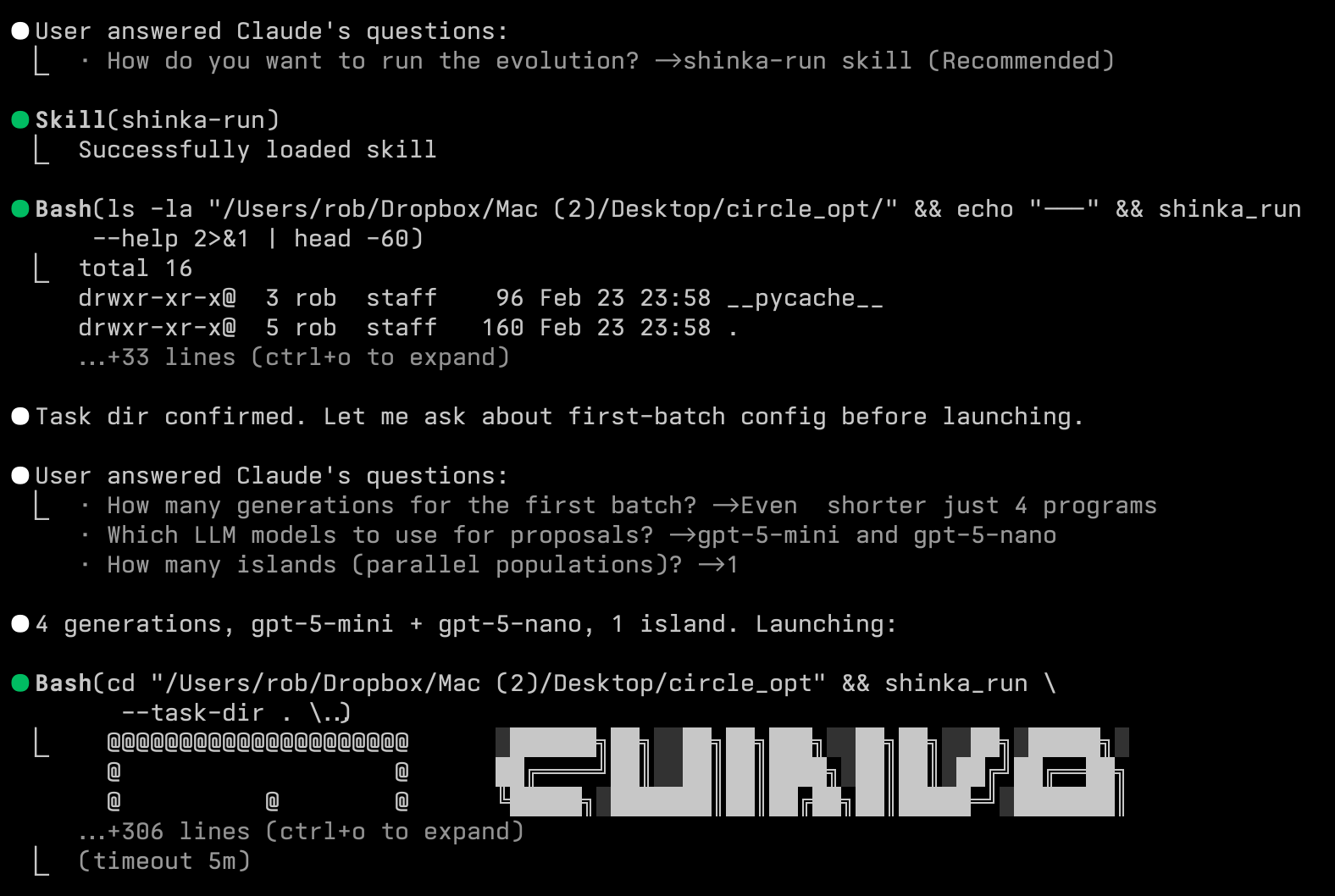
5) Run Skill Walkthrough (shinka-run)
Use shinka_run for agent-driven evolution loops.
Minimal batch:
shinka_run \
  --task-dir examples/my_task \
  --results_dir results/my_task_agent \
  --num_generations 10
With core knobs via --set:
shinka_run \
  --task-dir examples/my_task \
  --results_dir results/my_task_agent \
  --num_generations 20 \
  --set evo.max_api_costs=0.5 \
  --set evo.llm_models='["gpt-5-mini","gemini-3-flash-preview"]' \
  --set db.num_islands=2 \
  --set db.parent_selection_strategy=weighted
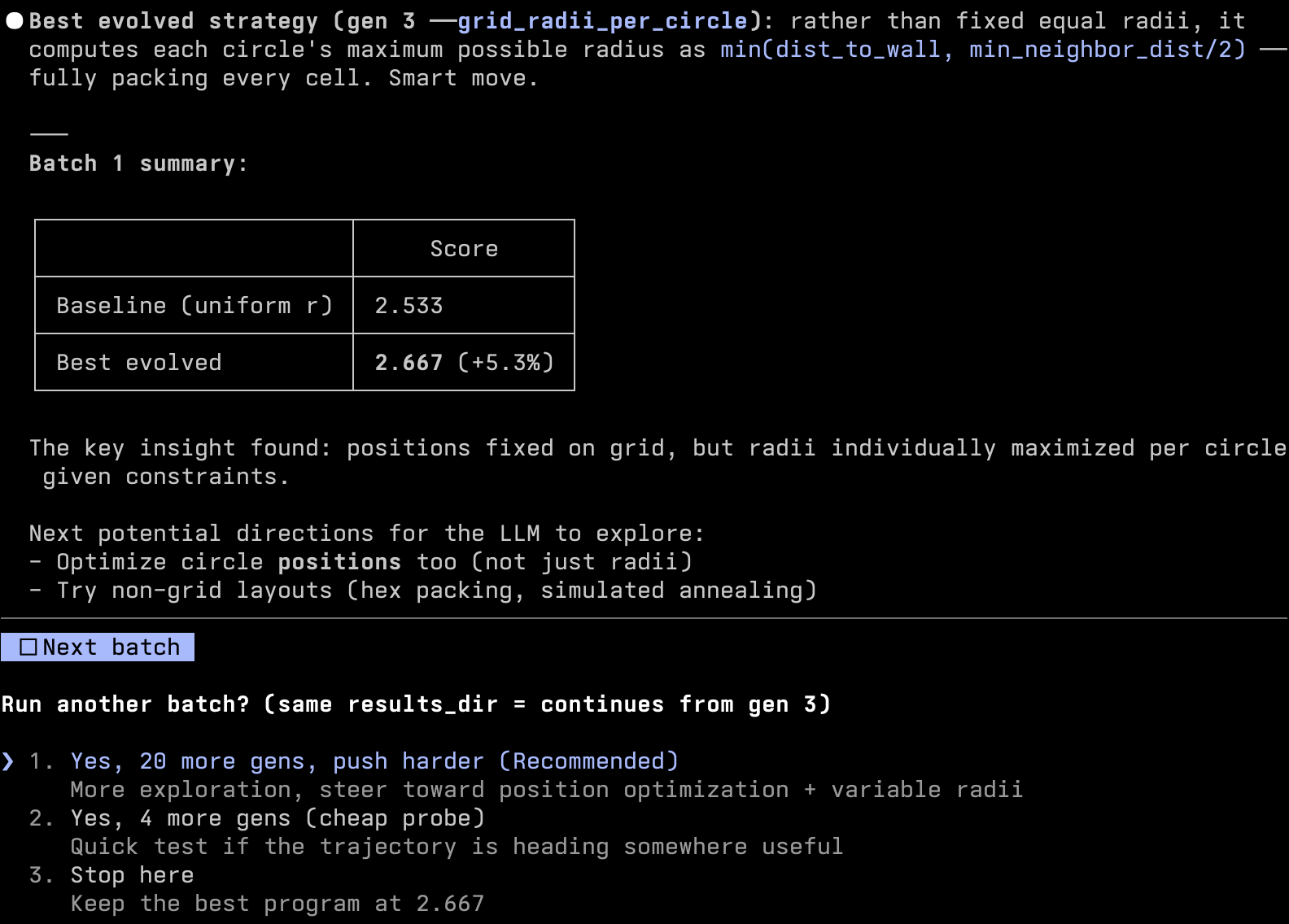
Illustration (run flow):
6) Inspect Skill Walkthrough (shinka-inspect)
Use shinka-inspect after one or more batches to generate an agent-ready context file.
Minimal:
python skills/shinka-inspect/scripts/inspect_best_programs.py \
  --results-dir results/my_task_agent \
  --k 5
With filters and explicit output:
python skills/shinka-inspect/scripts/inspect_best_programs.py \
  --results-dir results/my_task_agent \
  --k 8 \
  --min-generation 10 \
  --max-code-chars 5000 \
  --out results/my_task_agent/inspect/top_programs.md
Output:
- default file: results/my_task_agent/shinka_inspect_context.md
- contains ranking + code snippets for top programs
- designed to be loaded directly into coding-agent context
7) Batch Iteration Rules (Important)
When using shinka-run skill:
- unless user explicitly requests fully autonomous execution, ask for config confirmation between batches
- keep
--results_dirthe same across continuation batches so prior state can reload - change
--results_dironly when intentionally forking a new run
8) Quick Validation Checklist
Before first run:
shinka_run --helpworks- task dir has
evaluate.py+initial.<ext> - API keys are available in environment
npx skills listshows the installed Shinka skills- for global installs, skills appear under
~/.claude/skills/and/or~/.codex/skills/ - for project installs, skills appear under
.claude/skills/and/or.agents/skills/
After each batch:
- check run artifacts/logs under the chosen
results_dir - review score and correctness trend
- run
shinka-inspectand review the generated context markdown - choose next batch config (budget, models, islands, attempts, generations)